All apps
Coming to the App Store For iPhone & iPad Deutsch
Monitor app for Sony cameras

Liveglas — Your iPad becomes a camera monitor.

Live view from your Sony, exposure, white balance and recording in your hand — with the tools of a real monitor. Over Wi-Fi or a USB-C cable.

What it is about

A monitor that stays connected

I film my explainer videos on a Sony in S-Log3. Sony's app shows the image, but flat, without false colour, and it drops out as soon as the Wi-Fi hiccups. An external monitor is one more device with batteries, cables and a mount. Liveglas turns the iPad you already carry into the monitor.

The connection comes first: if it drops, Liveglas rebuilds it by itself without a tap and always shows how old the image is. On a cable it is even steadier.

Highlights

Tools from the set

All images are taken from the app, on iPad in landscape.

Monitor

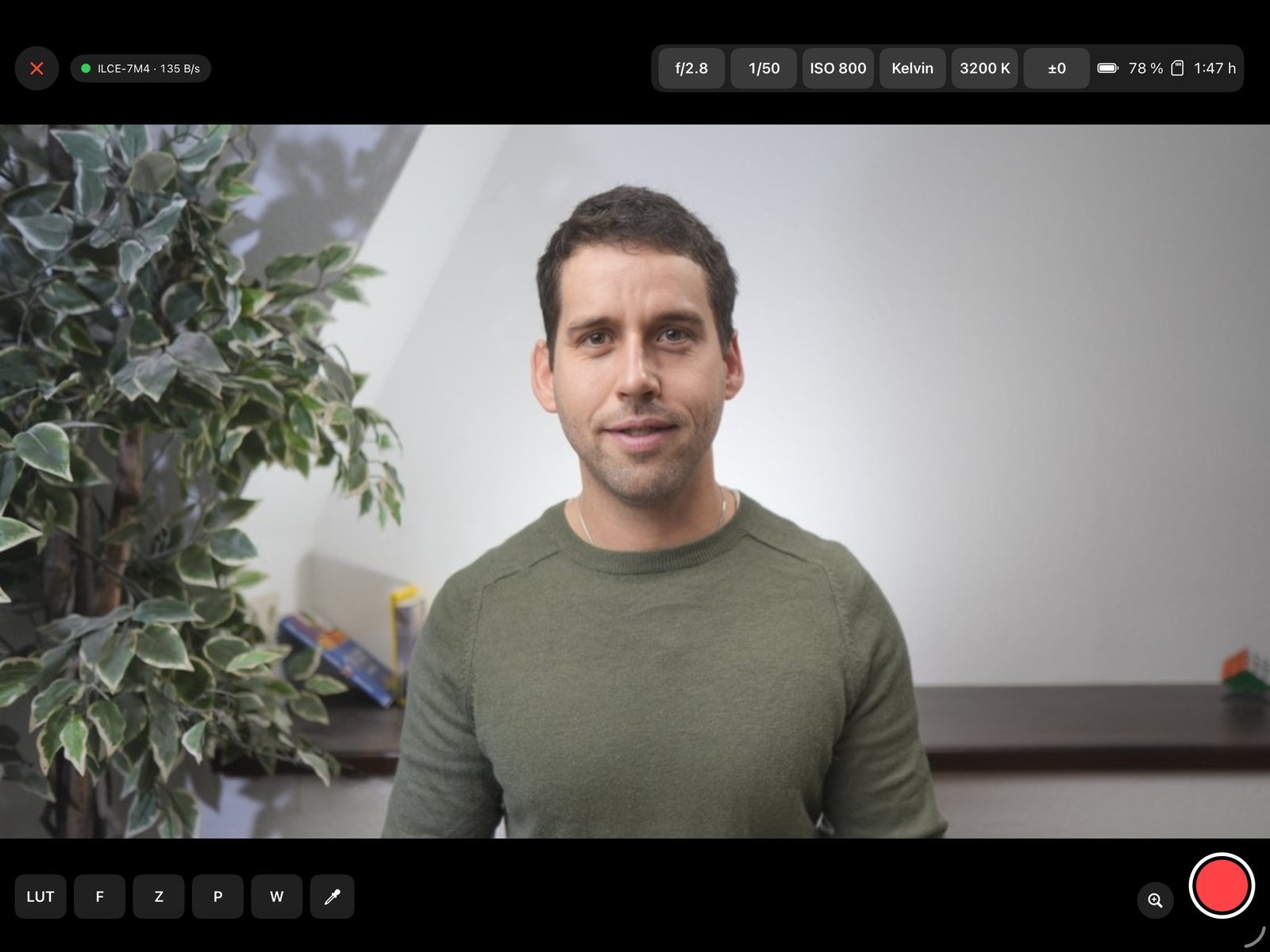
Live view and camera settings

Aperture, shutter, ISO, white balance, Kelvin and exposure compensation sit at the top as large buttons — tap, choose, the camera follows. Next to them battery and remaining card time. The status pill tells you honestly how fresh the image is.

Wi-Fi or USB-CStart recordingBattery & card
Monitor
Exposure

False colour, zebra, peaking, LUT

S-Log3 looks flat — the built-in LUT to Rec.709 shows you the finished image. False colour shows levels on the ARRI scale, zebra warns before highlights clip, peaking shows what is sharp. Import your own .cube LUTs with one tap.

S-Log3 → Rec.709your own LUTszebra & peaking
Exposure
Colour

Skin tone picker and vectorscope

Tap on skin and Liveglas tells you whether it sits on the skin tone line or is too red or too yellow — with level and angle, updated live. The vectorscope marks the point with a cross. For white balance, tap a grey or white card and the app sets Kelvin and green/magenta on the camera itself.

WaveformVectorscopeWhite balance from a card
Colour
Recording

Red means rolling.

When recording starts — in the app or on the camera — the whole image gets a red frame like a tally light, with the running time in large type at the top. Readable from two metres away.

Tally frameRunning timeREC from the camera too
Recording
Also
  • Two waysThe camera's Wi-Fi or a USB-C cable — the same monitor with every tool.
  • Live view onlyVia USB streaming the image at full resolution, with LUT, false colour and scopes.
  • KeyboardOn iPad with a keyboard: F, Z, P, W, space for REC, Esc to close.
  • English & GermanThe app speaks both languages.
Good to ask

Frequently asked questions

Which cameras work?

Sony cameras with “PC Remote” (remote shooting). Liveglas is tested with the a6700; more models will follow. Liveglas is an independent project and is not affiliated with Sony.

Wi-Fi or cable?

Both. Wi-Fi keeps you free, USB-C is the most stable. If you choose “USB Streaming” on the camera, you get live view only, but at full resolution.

Does Liveglas need internet or an account?

No. The iPhone or iPad talks directly to the camera. Details are in the privacy policy.

Is Liveglas available in German?

Yes. The app speaks English and German. This page is also available in German.

Good to know

Privacy and help

Where your data lives

The live view goes straight from the camera to your device and nowhere else. No server of our own, no account, no tracking.

Privacy policy

Help

Questions and bug reports are answered on the support page.